Sunday, February 28, 2010

Sharing with Friends

http://www.google.com/support/reader/bin/answer.py?hl=en&answer=83000

When you find interesting items on Reader, you can choose to share those items publicly or with a certain group of your friends. You can also add your own notes to your shared items. In your sharing settings, you can choose to either share Publicly or keep your shared items Protected. Don't worry, you can always change this setting at any time.

Sharing items

To share an item with friends, just click the Share button underneath the item. You can also choose to add a note to your shared item by clicking Share with note. The item will then appear in Your Shared items.

Finding more people to share with and to follow

You can always email an invitation to follow your shared items by clicking Email a link to your shared items under the Increase your Reader audience heading in sharing settings. Once your invitation is received, your friend will be prompted with the option to allow you to follow them, too.
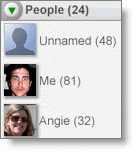
You can also search for people who are sharing publicly by using Reader's people search, powered by Google Profiles. To search for someone, click the browse for more stuff link in your left hand sidebar. Next, click the Search tab near the top of the page. Enter a person's name, email address, or topic of interest into the Search People box. You can also access this search from sharing settings.
If you use Google Buzz, you will have the option to display a list of people that you're following and those that are following you in your Google Profile. Keep in mind that your profile will be listed if someone you're following decides to show their followers on their Google Profile.

Who can see my shared items?

To view or change who's able to see your shared items, just click the Sharing settings link in your left sidebar. You'll then see a drop-down menu under Who can see my shared items? that will let you choose between Public or Protected.
http://docs.google.com/support/bin/answer.py?hl=en&funcType=engineering&answer=82712


FunctionSyntaxDescription
Binary to decimalBIN2DEC(number)
Binary to hexadecimalBIN2HEX(number, places)
Binary to octalBIN2OCT(number, places)
Decimal to binaryDEC2BIN(number, places)
Decimal to hexadecimalDEC2HEX(number, places)
Decimal to octalDEC2OCT(number, places)
Hexadecimal to binaryHEX2BIN(number, places)
Hexadecimal to decimalHEX2DEC(number)
Hexadecimal to octalHEX2OCT(number, places)
Octal to binaryOCT2BIN(number, places)
Octal to decimalOCT2DEC(number)
Octal to hexadecimalOCT2HEX(number, places)

chrome firefox instances center/left screen, right screen

2 firefox and 1 chrome on the left screen
1 firefox and 1 chrome on the right screen

this helps drag and drop

the extra firefox is just for gmail / drag and drop

technologicleenelson sent you a video: "NanoBits: grab a piece of the nano building kit"

YouTube help center | e-mail options | report spam

technologicleenelson has shared a video with you on YouTube:

nanobits, all of this functionality should come in one unit
If you ever played with those plastic toy kits as a kid, you may wanna see this. We prefabricated nanoscale needles, to be picked up by nanogrippers inside a scanning electron microscope. These nanobits are then used as ultralong tips in "Atomic Force Microscopes".

The needles are called "Nanobits" - because they remind us of drill bits; you can have a library of different "nanobits" and then pick the one you want, and mount it where you want it.

This is a part of a project funded by the European Commission, a very cool nanorobot/manufacturing collaboration called "Nanohand".
© 2010 YouTube, LLC
901 Cherry Ave, San Bruno, CA 94066

goolge reader now in blogger dashboard

We're sorry, but we were unable to complete your request.

When reporting this error to Blogger Support or on the Blogger Help Group, please:

* Describe what you were doing when you got this error.
* Provide the following error code and additional information.

bX-zdlkrp
Additional information
host: www.blogger.com
uri: /manage-blogs-following.g

This information will help us to track down your specific problem and fix it! We apologize for the inconvenience.
Find help

See if anyone else is having the same problem: Search the Blogger Help Group for bX-zdlkrp
If you don't get any results for that search, you can start a new topic. Please make sure to mention bX-zdlkrp in your message.

yoono twitter myspace facebook gchat update

the myspace part failed, but the yoono sidebar makes it convenient

Anjunta IDE

i tried it for NE-1

i could not import the src files

i will stick with Netbeans 6.8 for now

virus scanner wine

the automatic virus scanner on Ubuntu Lucid RC1 is keeping Wine 1.2 from detecting and installing .exe files

google talk wine

after the virus scan ran on the google talk .exe - it is not detected by Wine for installation


can not try video chat plugin


http://www.google.com/talk/

http://googlephotos.blogspot.com/2010/02/search-by-camera.html

Search by camera


In the past year, we've added several advanced search options for finding public photos in Picasa Web Albums. To help you find the right photo, you can filter your search by aspect ratio, size, photos vs. videos, photos with faces, and more. We're now happy to add one more dimension: the ability to search by camera. Searching by camera allows you to sample the quality of photos taken with a particular brand of camera or a specific model, and could help you make a decision between buying a Nikon D90 or a Canon EOS 50D.

To search by camera, first do a search in Picasa Web Albums. Click the 'Show Options' button, click 'Camera Models...' and then either choose your preferred make or type in a specific model.

firefox is now three headed and more

firefox keeps seperate windows for the browser picasa/maps and the blogger editor

yoono adds another window with a layer for each notification

google sidewiki google toolbar and yoono

sidewiki is now available from the toolbar - click on the icon to change options and activate

yoono and google sidewiki are now both on the side bar


Saturday, February 27, 2010

Google Voice: Coming soon

http://www.google.com/support/voice/bin/answer.py?answer=142423

You can now use voicemail with your own (non-Google) number. Learn more about using Google Voice with a Google v. non-Google number.

Google Voice: Coming soon

Google Voice is a service that enhances the existing capabilities of your phone numbers. With it, you can access your voicemail online, read automatic transcriptions of your voicemail, create personalized greetings based on who is calling, make cheap international calls, and more.
Google Voice is currently invitation only. Please leave us your email address and we'll send you an invite as they become available.
When can I sign up?
Once you receive a Google Voice invite, you're ready to get started. You can use an existing Google Account, or create a new one.
What if I reserved a number on the GrandCentral site before?
We will be emailing you when Google Voice is open to the public to sign up for the service.
How much does it cost?
The service is free.
What do I do if I am already a GrandCentral user?
Instructions are at the top of your inbox on how to upgrade your GrandCentral account to Google Voice.
If you're a user who has gotten started with Google Voice but you're being directed to this page, this means you've signed in with a different Google Account than the one you used when signing up for Google Voice. Please visit https://voice.google.com again and sign in with the Google Account you used when signing up for Google Voice.

Receive voice messages via your blog

http://www.google.com/support/blogger/bin/answer.py?hl=en&answer=86338

You can receive voice messages from your blog readers by placing a GrandCentral WebCall button directly on your blog. When people click the button, GrandCentral will call them and connect the call to your GrandCentral number. You can configure your settings to send your calls directly to your phone, or straight to voicemail. You can also post the voice messages you get directly on your blog.
To set up a GrandCentral WebCall button, first you'll need to create a free GrandCentral account.
Once you've signed up for GrandCentral, just follow these steps:
  1. Log in to GrandCentral and go to the Settings tab.
  2. Click the WebCall Button link.
  3. Click Select next to your favorite button.
  4. Click the Post link below your button. Copy the code provided, you'll need to add it to your blog's template later. Be sure to use one of the smaller buttons, as larger buttons might not fit in your blog's sidebar.
  5. Sign in to Blogger and go to the Templates tab.
  6. Click Add a Page Element and select 'HTML/Javascript' as the type.
  7. Paste the code provided by GrandCentral and click Save Changes.
Your WebCall button is now set up. You can customize specific settings, greetings, and different RingShares by logging in to your GrandCentral account.

Google Earth 5 features: * Historical imagery from around the globe * Ocean floor and surface data from marine experts * Simplified touring with audio and voice recording

http://earth.google.com/


The world's geographic information at your fingertips.
New! Google Earth is now available for Androi

Google Earth lets you fly anywhere on Earth to view satellite imagery, maps, terrain, 3D buildings, from galaxies in outer space to the canyons of the ocean. You can explore rich geographical content, save your toured places, and share with others.

Fwd: over 400 from gmail and feeds


---------- Forwarded message ----------
From: Lee Nelson <technologiclee@gmail.com>
Date: Fri, Feb 26, 2010 at 10:35 AM
Subject: over 400 from gmail and feeds
To: technologiclee.technologiclee@blogger.com


26 Feb 10, 10:34 AM
technologiclee: AdSense for Feeds: Setup Complete Your blog's feed is now redirecting to http://feeds.feedburner.com/blogspot/EvrY, and AdSense For Feeds is enabled. Learn more about FeedBurner Learn more about Ad
26 Feb 10, 10:33 AM
technologiclee: http://feeds.feedburner.com/blogspot/EvrY
26 Feb 10, 10:23 AM
technologiclee: http://feeds.feedburner.com/Technologiclee
26 Feb 10, 12:31 AM
technologiclee: :thebox:
25 Feb 10, 11:30 PM
technologiclee: :cool:
25 Feb 10, 09:13 PM
technologiclee: http://www.youtube.com/user/technologicleenelson
25 Feb 10, 09:11 PM
technologiclee: from http://technologiclee.blogspot.com/
25 Feb 10, 09:01 PM
technologiclee: from inside of http://nanoengineers.blogspot.com/
25 Feb 10, 05:40 PM
technologiclee: http://nanoengineers.blogspot.com/


AdSense for Feeds: Setup Complete

Your blog's feed is now redirecting to http://feeds.feedburner.com/blogspot/EvrY, and AdSense For Feeds is enabled.

Learn more about FeedBurner

Learn more about AdSense for Feeds

AdSense Reports | Switch AdSense Account | Customize/Add Ads |
Remove Ads
| Help


Friday, February 26, 2010

Upload to Picasa Web Albums: Email upload

http://picasa.google.com/support/bin/answer.py?answer=83342

Ubuntu Linux Laptop Computers - system76, Inc.

Ubuntu Linux Laptop Computers - system76, Inc.

Ubuntu Linux Laptops

Starling  NetBook
Starling NetBook

10.1" LED Widescreen Display
1024 x 576 Resolution
2.6 lbs.
Intel Atom CPU
2 GB Memory DDR2
160 GB SATA II
Intel 950 graphics
802.11 bg (WiFi)
10/100 Ethernet
Built-In Webcam


Starting At:
$359.00 $349.00


Buy Now
Lemur  UltraThin
Lemur UltraThin

14.0" HD LED Widescreen Display
WXGA (1366 x 768)
3.5 lbs. - 0.90" UltraThin
Intel Core 2 Duo ULV
up to 4 GB Memory DDR3
up to 640 GB SATA II
Intel GMA 4500MHD graphics
802.11 agn (WiFi)
Gigabit Ethernet
Bluetooth
Built-In Webcam

Starting At:
$769.00


Buy Now
Pangolin  Performance
Pangolin Performance

15.6" HD Widescreen Display
up to HD+ (1600 x 900)
5.82 lbs.
Intel Core i5 and i7
up to 8 GB Memory DDR3
up to 640 GB SATA II
512 MB ATI Mobility Radeon HD
802.11 agn (WiFi)
Gigabit Ethernet
Bluetooth
Built-In Webcam

Starting At:
$899.00


Buy Now
Serval  Professional
Serval Professional

15.6" HD LED Widescreen Display
up to Full HD (1920 x 1080)
7.38 lbs.
Intel Core i7
up to 8 GB Memory DDR3
up to 640 GB SATA II
1 GB nVidia GeForce GTX 285M
802.11 agn (WiFi)
Gigabit Ethernet
Bluetooth
Built-In Webcam

Starting At:
$1,769.00 $1,649.00


Buy Now
Bonobo Performance
Bonobo Performance

17" Widescreen Display
WXGA (1440 x 900)
6.75 lbs.
Intel Core i5 and i7
up to 8 GB Memory DDR3
up to 640 GB SATA II
512 MB ATI Mobility Radeon HD
802.11 agn (WiFi)
Gigabit Ethernet
Bluetooth
Built-In Webcam

Starting At:
$949.00


Buy Now


Fwd: article rejected: [off topic] #30918 (comp.lang.c++.moderated)


---------- Forwarded message ----------
From: <c++-request@cs.rpi.edu>
Date: Tue, Feb 23, 2010 at 2:06 PM
Subject: article rejected: [off topic] #30918 (comp.lang.c++.moderated)
To: technologiclee@gmail.com
Cc: c++-request@ruralroute.cs.rpi.edu


Message-ID: <c109620a-ff03-4eb7-82b5-eca8a73798b3@b18g2000vba.googlegroups.com>
Newsgroups: comp.lang.c++.moderated
From: technologiclee <technologiclee@gmail.com>
Subject: Nanohive-1 Ubuntu Install
Organization: http://groups.google.com
Content-Type: text/plain; charset=ISO-8859-1
X-Original-Date: Tue, 23 Feb 2010 10:08:29 -0800 (PST)
X-Submission-Address: c++-submit@netlab.cs.rpi.edu

{ The topic of your article is not very clear, and it's not obvious
 whether it bears any relevance to C++. If you have problems building
 a specific project, you'd better contact its developers first.
 If you want to raise a general C++ question out of this, please
 make the topic clearer and more explicit. -mod }


Notes on my install
http://docs.google.com/View?id=dc26889x_149djrwgfgh

terminal commands and output

./configure --enable-standard-plugin-set --disable-console-command --
disable-mpqc-sclib --disable-openbabel --disable-sockets-pic-control

sudo make
sudo make install

http://tinypaste.com/6fe32


error from terminal

In file included from /usr/include/c++/4.4/backward/strstream:46,
                 from ../../include/NanoHiveInterface/MeasurementSet.h:
33,
                 from ../../include/NanoHiveInterface/NH_Cell.h:33,
                 from ../../include/NanoHiveInterface/DataModel.h:32,
                 from DataModel.cpp:20:
/usr/include/c++/4.4/backward/backward_warning.h:28:2: warning:
#warning This file includes at least one deprecated or antiquated
header which may be removed without further notice at a future date.
Please use a non-deprecated interface with equivalent functionality
instead. For a listing of replacement headers and interfaces, consult
the file backward_warning.h. To disable this warning use -Wno-
deprecated.
DataModel.cpp: In constructor 'nanohive::Atom::Atom(nanohive::ABMint,
const char*, const nanohive::Real&, const nanohive::Real&, const
nanohive::Real&, const nanohive::Real&, const nanohive::Real&, const
nanohive::Real&)':
DataModel.cpp:290: error: 'strlen' was not declared in this scope
DataModel.cpp:291: error: 'strcpy' was not declared in this scope
DataModel.cpp: In copy constructor 'nanohive::Atom::Atom(const
nanohive::Atom&)':
DataModel.cpp:310: error: 'strlen' was not declared in this scope
DataModel.cpp:311: error: 'strcpy' was not declared in this scope
../../include/NanoHiveUtil/Utility.h: At global scope:
../../include/NanoHiveUtil/Utility.h:117: warning:
'nanohive::NSPRcodeToMeaning' defined but not used
make[1]: *** [libNanoHiveInterface_la-DataModel.lo] Error 1
make[1]: Leaving directory `/home/l/nh1/Nano-Hive-1.2.0-Beta-1/src/
NanoHiveInterface'
make: *** [install-recursive] Error 1
l@EV007:~/nh1/Nano-Hive-1.2.0-Beta-1/src$


error from Netbeans 6.8 with Python Plugin
NE-1 is running from Netbeans with NH-1 in the same folder -


/usr/bin/gmake  all-recursive
gmake[1]: Entering directory `/home/l/nh1/Nano-Hive-1.2.0-Beta-1/src'
Making all in NanoHiveUtil
gmake[2]: Entering directory `/home/l/nh1/Nano-Hive-1.2.0-Beta-1/src/
NanoHiveUtil'
if /bin/bash ../libtool --mode=compile --tag=CXX g++ -DHAVE_CONFIG_H -
I. -I. -I.. -I../../include -pthread -g -O2 -g -Wall -O2 -O2 -DNDEBUG -
I/usr/include/nspr -I/usr/include   -O2 -MT libNanoHiveUtil_la-
CmdLine.lo -MD -MP -MF ".deps/libNanoHiveUtil_la-CmdLine.Tpo" -c -o
libNanoHiveUtil_la-CmdLine.lo `test -f 'CmdLine.cpp' || echo
'./'`CmdLine.cpp; \
        then mv -f ".deps/libNanoHiveUtil_la-CmdLine.Tpo" ".deps/
libNanoHiveUtil_la-CmdLine.Plo"; else rm -f ".deps/libNanoHiveUtil_la-
CmdLine.Tpo"; exit 1; fi
 g++ -DHAVE_CONFIG_H -I. -I. -I.. -I../../include -pthread -g -O2 -g -
Wall -O2 -O2 -DNDEBUG -I/usr/include/nspr -I/usr/include -O2 -MT
libNanoHiveUtil_la-CmdLine.lo -MD -MP -MF .deps/libNanoHiveUtil_la-
CmdLine.Tpo -c CmdLine.cpp  -fPIC -DPIC -o .libs/libNanoHiveUtil_la-
CmdLine.o
CmdLine.cpp: In member function 'int
nanohive::CmdLine::SplitLine(const char*)':
CmdLine.cpp:46: error: 'strlen' was not declared in this scope
CmdLine.cpp:78: error: 'strcpy' was not declared in this scope
CmdLine.cpp: In member function 'bool
nanohive::CmdLine::IsSwitch(const char*)':
CmdLine.cpp:190: error: 'strlen' was not declared in this scope
CmdLine.cpp: In member function 'std::string
nanohive::CmdLine::GetArgument(const char*, int)':
CmdLine.cpp:295: warning: comparison between signed and unsigned
integer expressions
CmdLine.cpp: At global scope:
CmdLine.cpp:334: fatal error: opening dependency file .deps/
libNanoHiveUtil_la-CmdLine.Tpo: Permission denied
compilation terminated.
gmake[2]: *** [libNanoHiveUtil_la-CmdLine.lo] Error 1
gmake[2]: Leaving directory `/home/l/nh1/Nano-Hive-1.2.0-Beta-1/src/
NanoHiveUtil'
gmake[1]: *** [all-recursive] Error 1
gmake[1]: Leaving directory `/home/l/nh1/Nano-Hive-1.2.0-Beta-1/src'
gmake: *** [all] Error 2

MAKE FAILED (exit value 2, total time: 801ms)

--
     [ See http://www.gotw.ca/resources/clcm.htm for info about ]
     [ comp.lang.c++.moderated.    First time posters: Do this! ]

http://www.google.com/finance?q=NASDAQ%3AGOOG

http://www.google.com/finance?q=NASDAQ%3AGOOG

Google Inc. 

(Public, NASDAQ:GOOG)   Watch this stock   
Find more results for GOOG
Dow10,321.03-0.51%
Nasdaq2,234.22-0.08%
Technology-0.16%
GOOG526.43-0.95%


526.43
-5.04 (-0.95%)
After Hours: 527.25 +0.82 (0.16%)
Feb 25, 6:33PM EST  
NASDAQ real-time data - Disclaimer
  1. Range 520.00 - 528.49
  2. 52 week 289.45 - 629.51
  3. Open 527.00
  4. Vol / Avg. 3.31M/3.62M
  5. Mkt cap 167.02B
  6. P/E 25.81
  7. Div/yield     -
  8. EPS 20.40
  9. Shares 317.27M
  10. Beta 1.13
  11. Inst. own 62%